
Vibe coding means I can describe an app in plain English, let AI write the first version, and get to a demo in hours or days instead of waiting weeks. But I’d use it for a prototype, not a finished product.
Here’s the short version:
- I use vibe coding to test one narrow app idea
- The basic loop is prompt → generate → test → fix
- It works best for simple tools, internal apps, calculators, trackers, and landing pages
- It starts to break when I need logins, sync, security, or heavy logic
- A rough prototype can take 20 minutes, while a production build can still take 150+ hours
- On harder coding tasks, AI can be wrong 30% to 40% of the time
Put another way: if I want to check whether an idea is worth building, vibe coding is a low-friction starting point. If I need a product that handles many users, private data, and edge cases, I still need engineers and careful testing.
I’d also keep the tool stack simple:
- ChatGPT or Claude for planning and fixing errors
- Replit for building and running a first version in the browser
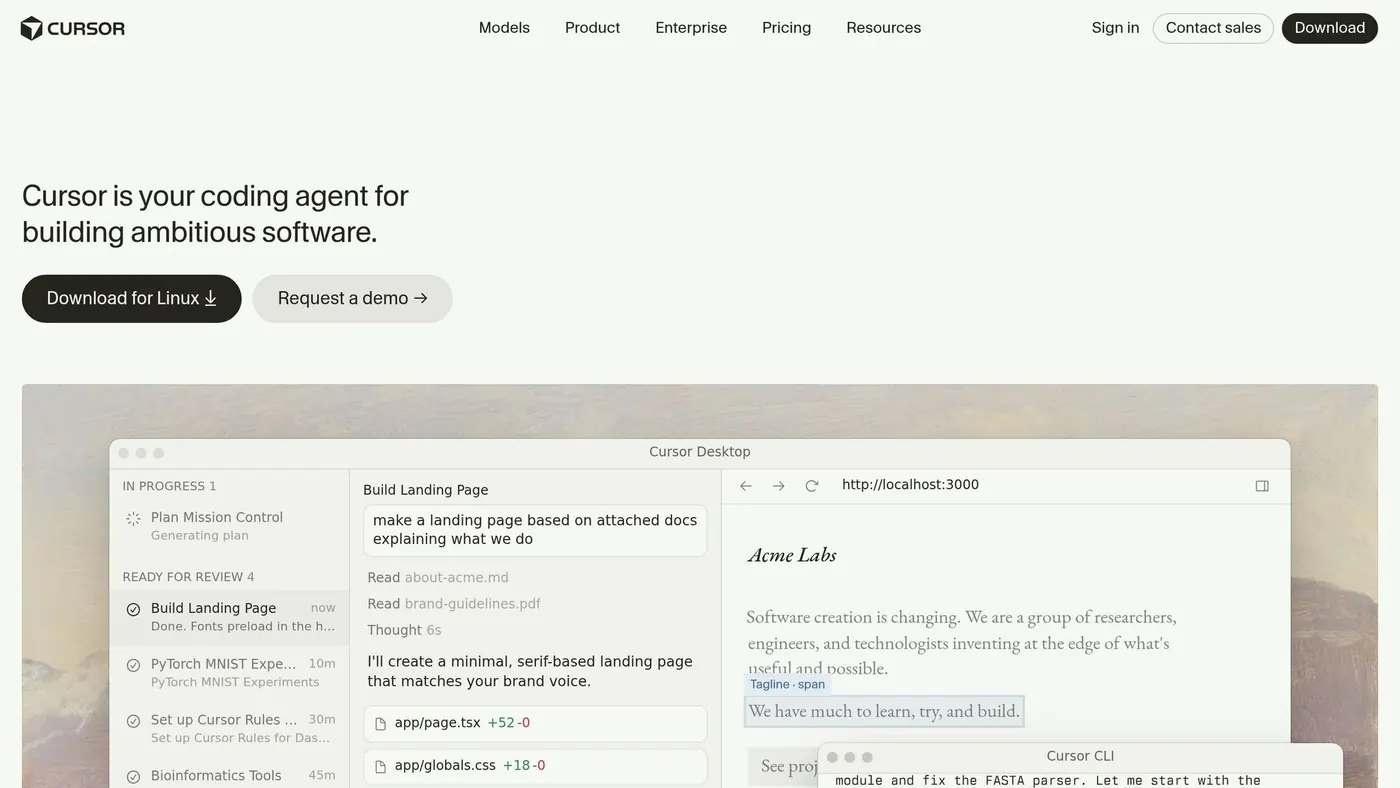
- Cursor for editing a growing codebase
- GitHub Copilot for inline code help while I type
Cursor Vibe Coding Tutorial - For COMPLETE Beginners (No Experience Needed)
Quick Comparison
| Tool | Best For | Ease for Beginners | Where I’d Use It |
|---|---|---|---|
| ChatGPT / Claude | Planning, prompts, debugging | High | Defining features and fixing errors |
| Replit | Browser-based prototyping | High | Building and testing without local setup |
| Cursor | Editing and updating code | Medium-High | Improving a first version |
| GitHub Copilot | Inline coding help | Medium | Writing repeat code inside an editor |
The main idea is simple: use vibe coding to learn fast, not to skip product work.
What vibe coding is and how the workflow works
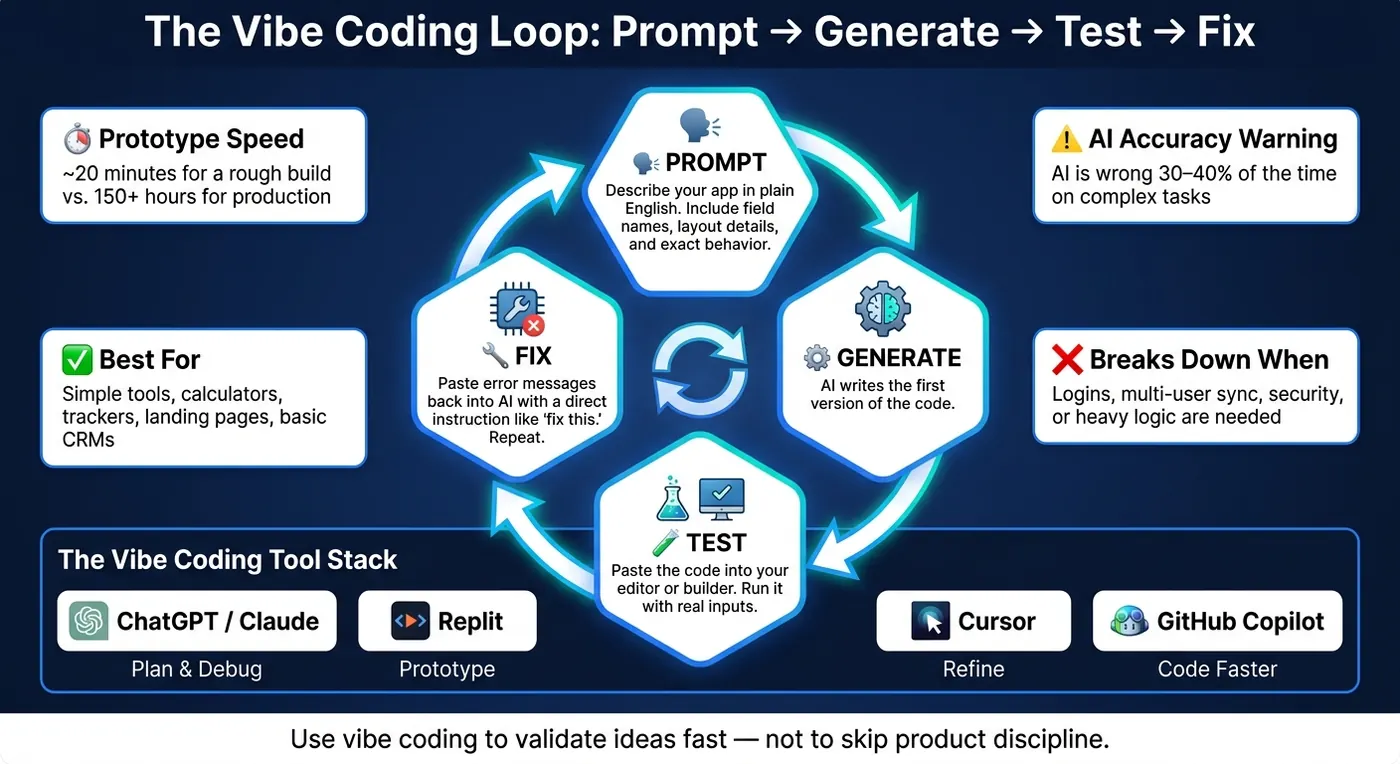
Vibe coding is an AI-assisted app-building workflow: you describe the app in plain English, and AI writes the first version of the code. It takes an idea and turns it into a working prototype through a repeatable process.
In practice, vibe coding runs on a simple loop. But there’s a catch: it starts to fall apart when you get into heavy logic, strict security needs, or hard integrations.
The plain-English to working-app loop
The workflow follows a repeatable cycle: prompt, generate, test, and iterate. You explain what you want, including details like field names, layout, and data rules, and the AI produces starter code. Then you paste that code into your editor or builder, run it, and test it with actual inputs.
When something breaks, you paste the exact error message back into the AI and give it a direct instruction like "fix this." The AI spots the problem and returns updated code. Then you move to the next change, maybe a UI tweak, a new feature, or a styling update, and repeat the loop until the prototype works the way you want.
Where beginners usually get stuck
The most common mistake is starting too broad. If the prompt is vague, the AI usually gives you generic output that doesn’t line up with the product you had in mind. Specific prompts work better. Exact field names, layout details, and precise behavior give the model less room to drift.
The other big sticking point is the final 20% problem. The first 80% of a project often comes together fast. The last 20% is where things get messy: edge cases, hard logic, responsive design across different devices, PDF rendering, browser notifications, and multi-device sync. That’s where AI models tend to struggle most.
A smarter path is to build a single-device MVP first and validate it. Then you can decide if the extra complexity is worth adding. That limit is why the next question is which app types fit vibe coding best.
What kinds of apps beginners can realistically build
Vibe coding works best for a prototype, not a full product. If you're new to this, that usually means building a small app with one clear job and a tight scope.
Simple app ideas that fit vibe coding
A good place to start is a manual task you deal with every week or month. That's where simple app ideas tend to come from.
Good first projects include a task tracker, an expense calculator, an email template generator, a basic CRM, or a simple landing page. These all follow the same basic pattern: one input goes in, one useful output comes out.
That's also the line beginners need to watch. If the app stays simple, vibe coding can get you to a working version fast. If the logic starts branching in ten directions, things get messy fast.
What is realistic versus what needs engineering
Here's the simple rule: if your app only needs to work for one user, you can often build a working prototype in hours or days. Once you need multiple users, logins, data sync across devices, or secure handling of sensitive data, you're getting into professional engineering work.
A prototype may take 20 minutes, while a production-ready product can take 150+ hours. That's a huge gap. So it's better to think of these as prototype-friendly projects, not finished products.
Use the chart below to match the app type with the time and complexity involved.
| App Type | Difficulty | Speed to Prototype | Best Fit | When Extra Engineering Is Needed |
|---|---|---|---|---|
| Simple Landing Page | Low | Hours | Marketing, personal branding, testing ad hooks | Complex animations or custom interactive logic |
| Task Tracker / Lead Tracker | Low | Hours | Internal team organization, lead management | Multi-device sync or user accounts |
| Expense / Pricing Calculator | Low | Hours | Budget tracking, sales quotes, ROI demos | Complex tax compliance or multi-currency integrations |
| Email Template Generator | Low | Hours | Sales outreach, marketing consistency | Complex HTML rendering across all mail clients |
| Basic CRM Prototype | Medium | Days | Early-stage lead tracking and customer records | Integrating with existing enterprise sales stacks or requiring high security |
| Inventory / Operations Tracker | Medium | Days | Office supplies or small warehouse tracking | Hardware/scanner integration or automated vendor ordering |
| Complex SaaS Platform | High | Weeks–Months | Commercial SaaS | High-load systems, custom logic, or PCI compliance |
There's another reason to keep your first build simple: on complex programming tasks, AI tools are wrong 30% to 40% of the time. So if you're just starting out, simple and easy to test is the smart move.
Once you know the scope of your app, the next step is picking the AI tool that fits each stage of the build.
Which AI tools support vibe coding and what each one does
Different AI tools handle different parts of vibe coding: planning, building, editing, and writing code faster inside your editor. Once you know what you want to make, the next step is simple: match each tool to one part of the build loop. That makes things a lot easier for founders and non-technical builders.
How each tool fits into the build process
ChatGPT and Claude work best at the planning stage. Use them to define the app, sketch out its pages, and turn a rough idea into a short task list. If something breaks, paste in the error message, ask for a plain-English explanation, and figure out what to fix next.
Replit handles the build-and-run part. It’s a browser-based workspace where you can write code and run a first prototype without installing anything on your computer. That’s a big deal when you want to move fast and avoid setup headaches.
Cursor is where editing and growth start to matter more. It’s a code editor built around AI help, so you can update multiple files from plain-English prompts. It fits better once you already have a first version and need to improve it or add more to the codebase.
GitHub Copilot helps you code faster while you type. It lives inside your editor and gives live suggestions - finishing lines, generating boilerplate, and filling in repeat patterns. It’s most useful when you’re already in the code and want help with speed and momentum.
A simple tool comparison for beginners
| Tool | Primary Function | Beginner Friendliness | Best Stage of the Process | Typical Use Case |
|---|---|---|---|---|
| ChatGPT / Claude | Idea shaping & logic | High | Planning & Debugging | Brainstorming features, creating sitemaps, explaining errors |
| Replit | Browser-based coding workspace | High | Prototyping | Building and deploying a web app instantly without any local setup |
| Cursor | Code editor built around AI help | Medium-High | Building & Refactoring | Managing a full codebase and iterating on complex features |
| GitHub Copilot | Inline coding assistant | Medium | Active Coding | Speeding up repetitive code tasks and boilerplate inside an editor |
A simple way to think about it:
- Plan in ChatGPT or Claude
- Prototype in Replit
- Refine in Cursor
- Use GitHub Copilot inside the editor you choose
Once that stack is in place, the next step is figuring out when vibe coding is worth using in the first place.
When vibe coding is worth using and what results to expect
Once you know which tools can help with planning, building, and debugging, the next step is simpler: decide whether the project is small enough for vibe coding.
Vibe coding makes sense when you want to test demand before putting engineering time and money into a full build. It works best for narrow, clearly defined workflows. The moment sync enters the picture, the scope can grow fast. Now you’re not just building one feature. You also need auth, accounts, and a database. That’s usually the point where a small prototype starts turning into a product.
So the rule of thumb is pretty simple: use vibe coding for narrow workflows, then hand things off to structured engineering once accounts, sync, or sensitive data enter the scope.
If the project is a fit, the next question is what version one should deliver. Be realistic here. A solid first project gives you a demo-ready prototype in days, not a launch-ready product. Think of it as a working skeleton that handles one core workflow well enough to show real users or stakeholders. It can prove the idea. It can start useful conversations. But it will still be rough around the edges.
You should also plan for follow-up work after that first build, including testing, prompt rewrites, and cleanup.
"Usually, the first version is rarely perfect." - Shamima Sultana, Author, Statology
Conclusion: Use vibe coding to reach a prototype faster, not to skip product discipline
The right use case is pretty clear: validation first, production later. Use vibe coding to test ideas faster, not to skip product discipline. Keep the first build small, focus on one clear question, and stabilize it later if the idea proves out.
FAQs
Do I need to know any coding first?
No. You do not need prior programming experience to start vibe coding.
The whole point is simple: you describe what you want in plain English, and AI handles the code, file setup, and technical logic.
You might still bump into a few basic tasks, like using command-line prompts or fixing small errors. But this approach is built for people who aren’t technical.
How do I know if my app idea is too complex for vibe coding?
Your idea is probably too complex for vibe coding if it goes beyond a simple, sandboxed prototype.
A few red flags tend to show up early: user authentication, sync across devices, database setup that takes more than a little effort, or outside services that need secret API keys and regular upkeep. Once those pieces enter the picture, things can get messy fast.
Vibe coding tends to work best when an app does one job well, runs inside a browser sandbox, or stores data locally. That’s the sweet spot.
If your project needs user accounts, payments, or data that follows people from one device to another, it’s likely too ambitious for a first try.
What should I do after the prototype works?
Once your prototype works, stop chasing speed and start tightening things up. The next job is stability and ownership.
AI tools can help with a last pre-launch pass. Use them to review your responsive design, check SEO basics, and catch common issues like broken links. It’s the kind of cleanup work that saves headaches later.
If you plan to keep iterating, set up a simple edit-and-republish workflow. You want changes to be easy to make and easy to ship. No drama, no messy handoffs.
At that point, start getting familiar with the codebase in an AI-native editor like Cursor. Even if AI helped you build the first version, you still need to understand what’s there. If something breaks, you can’t afford to be a stranger in your own app.
And one more thing: don’t launch apps that handle sensitive data until you’ve dealt with security. That part isn’t optional.
Finally, dogfood the app. Use it like a user would. That’s often where the rough edges show up - and where you find out whether the product solves a real problem or just looked good in a demo.